
Building a Personal Website with Claude + GitHub Pages (in 5 mins & for free)
It's super easy, even my 7 yr old can do it!

Have you ever had the idea for a project but needed a quick website? I recently had the spark of an idea… I wanted a make simple personal website to offer personal finance coaching and let people trade services with me instead of paying cash. So I opened Claude, typed a brain dump, and by the time I finished my coffee I had a real, live website! Here’s exactly how you can do the same thing.
What I Did (The Short Version)
I described myself & my services. In just a couple minutes, Claude generated a full website - way better than what I could do on my own or using a wix / squarespace etc.
After a few iterations, I copy and pasted the code into a GitHub repository and the website is now live here: alysonla.github.io
Prompt:
Make me a website that explains who I am and offers my services for barter<who i am & what I offer brain dump goes here>
How to Do This Yourself
Step 1: Build your site with Claude
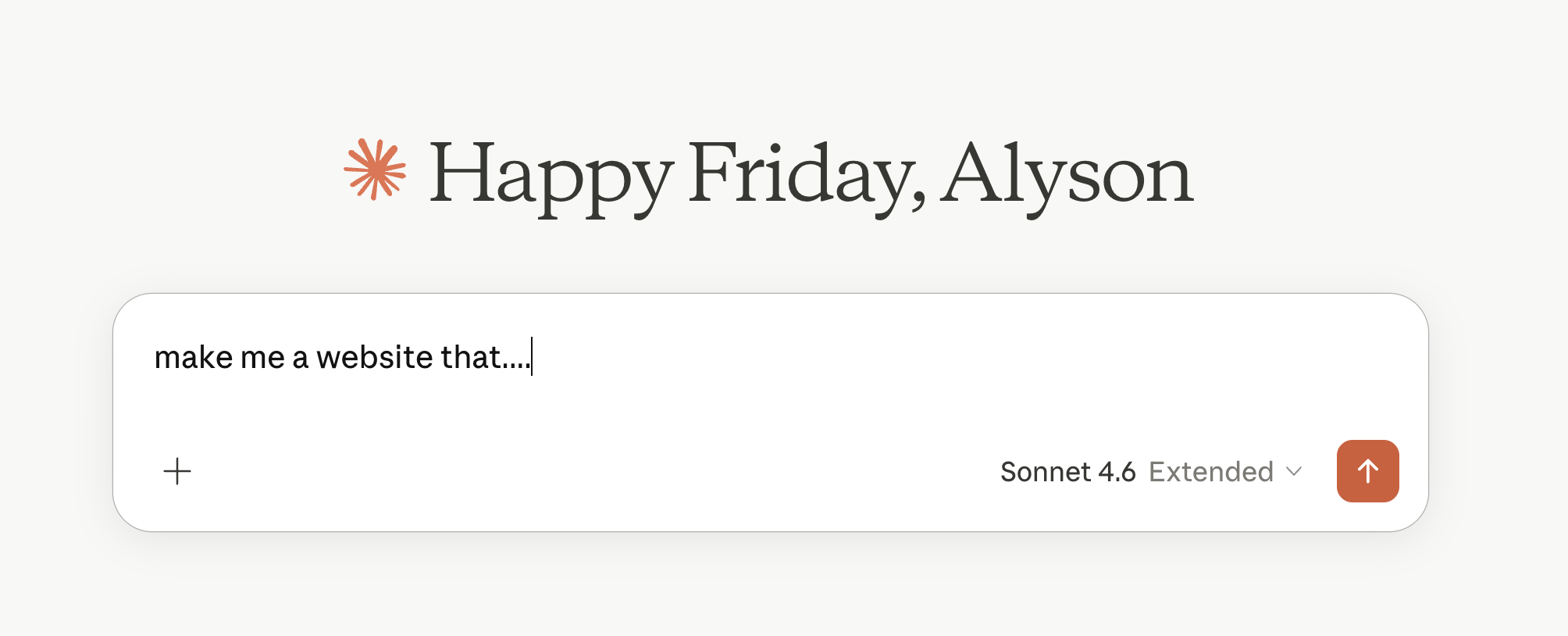
Go to claude.ai and describe your website — who you are & what you are about. Don’t stress about perfection. You’ll iterate.
Step 2: Download your index.html
When Claude generates your site, click the download button below the file. This saves a single file called index.html — that file is your entire website. When you want changes, ask Claude, download the new version, and replace the old one.

Step 3: Create a free GitHub account (if you don’t already have one)
Go to github.com and sign up. Choose a clean username — it’ll be part of your URL.
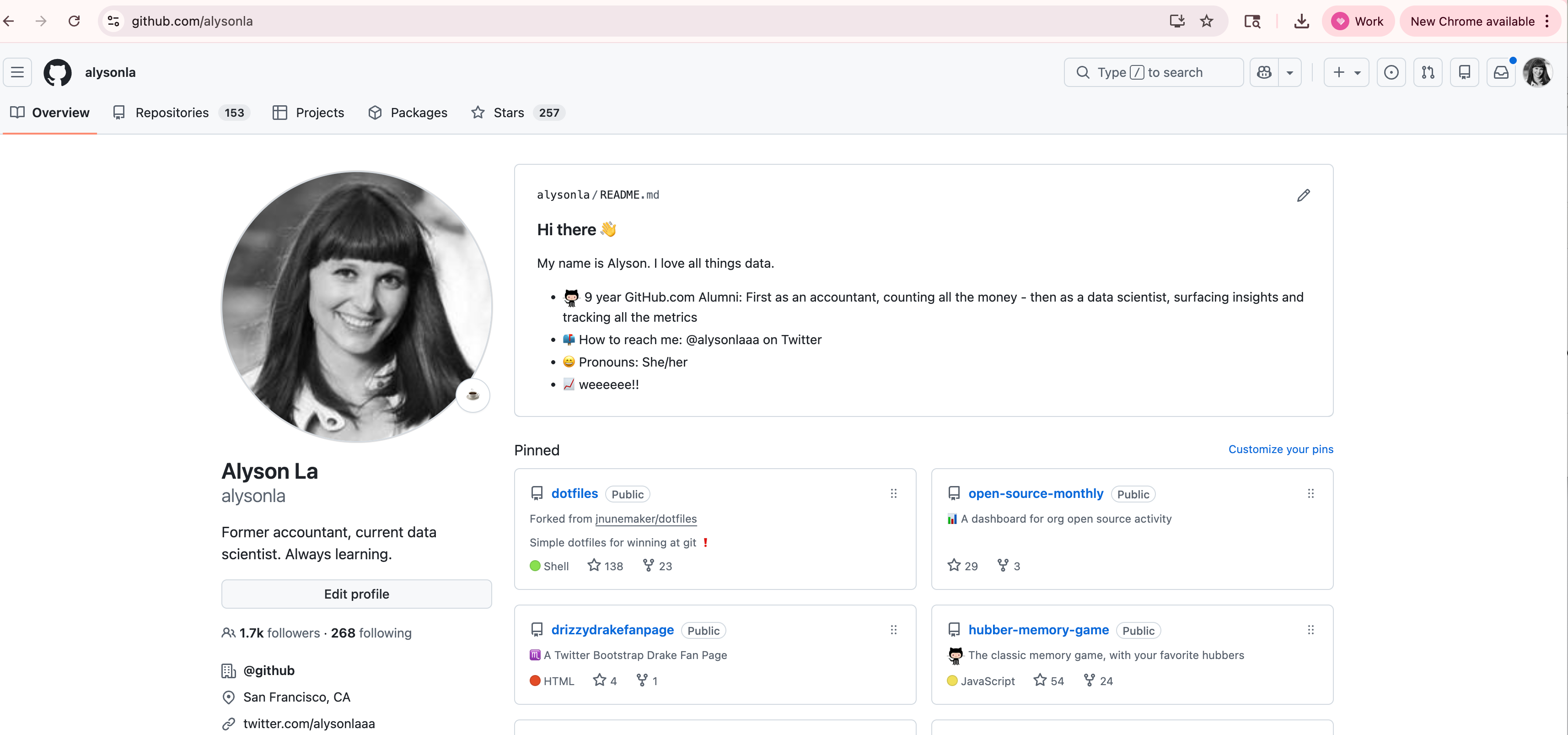
my GitHub profile: github.com/alysonla
Step 4: Create a new repository
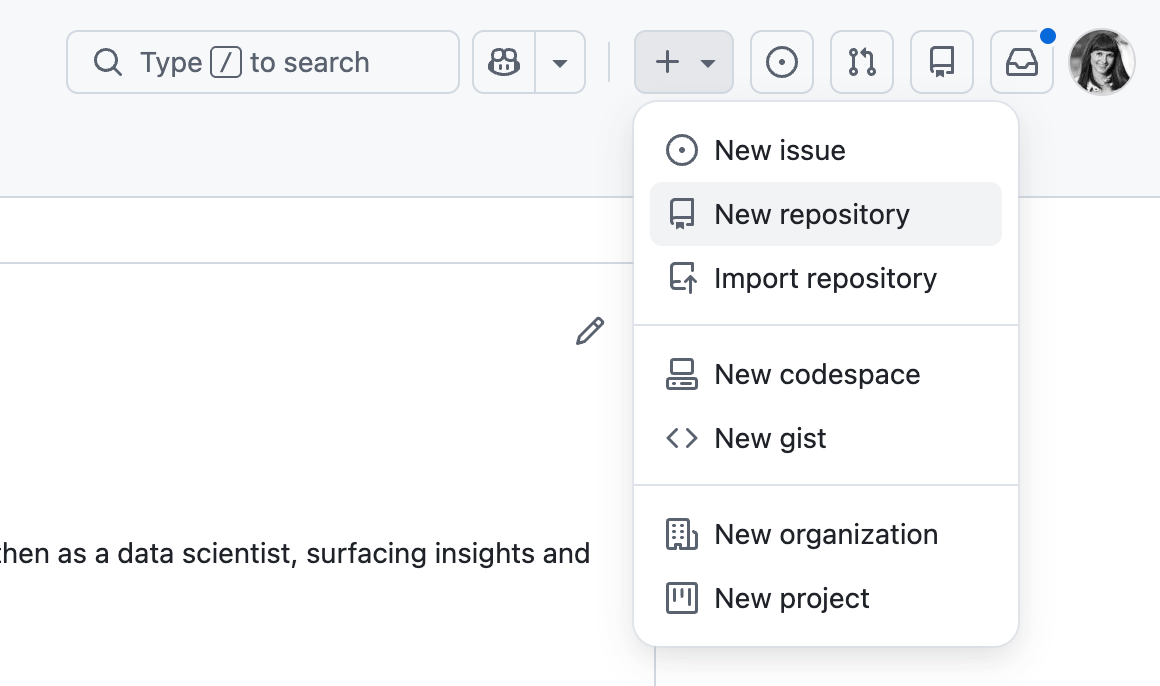
Click + → New repository
Name it exactly:
yourusername.github.ioChoose YES to add README
Set it to Public
Click Create repository
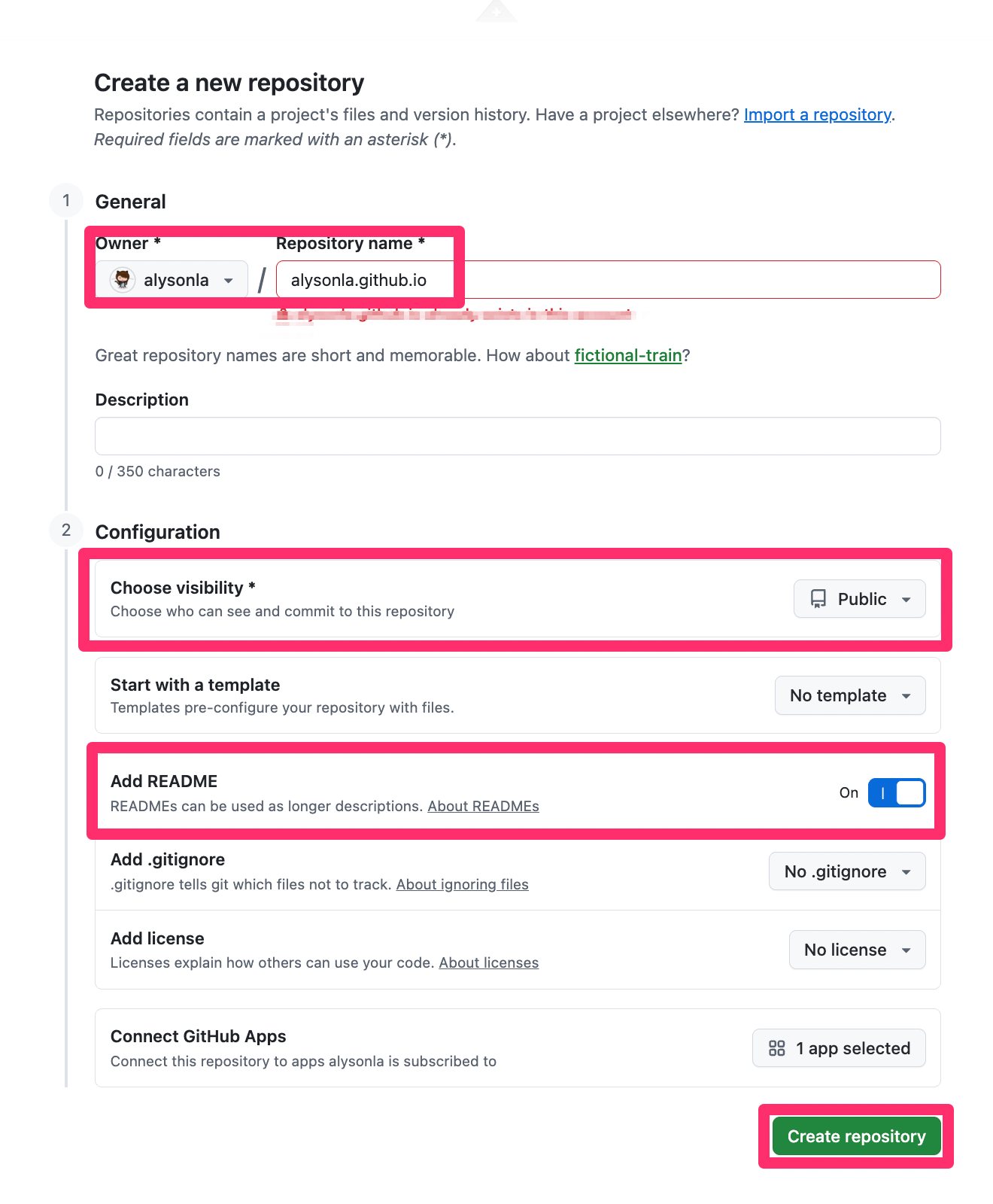
That specific naming convention: yourusername.github.io is what tells GitHub to turn it into a live website.
Step 5: Upload your file
Inside your new repo, click Add file → Upload file
Drag in your
index.htmlScroll down and click Commit changes
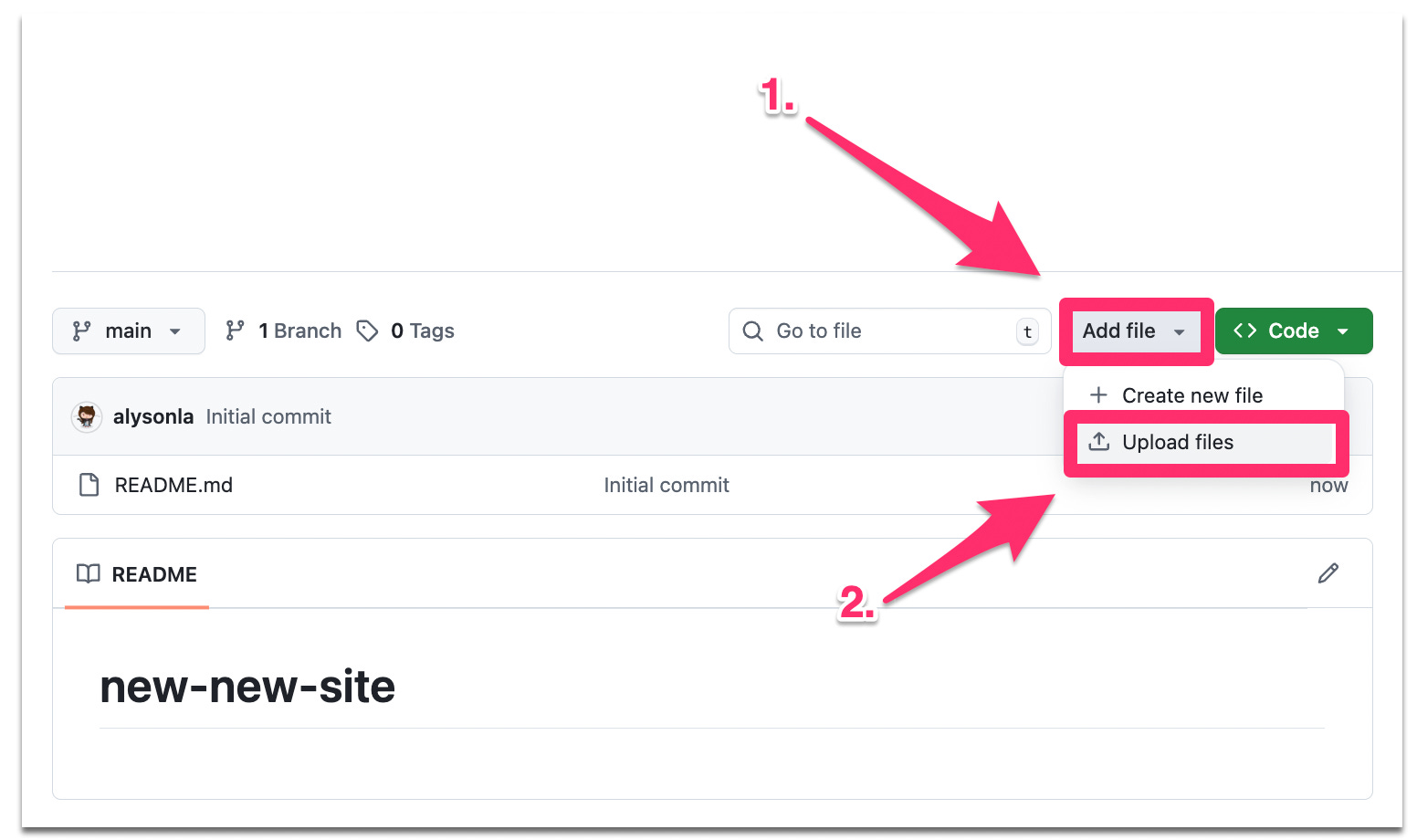
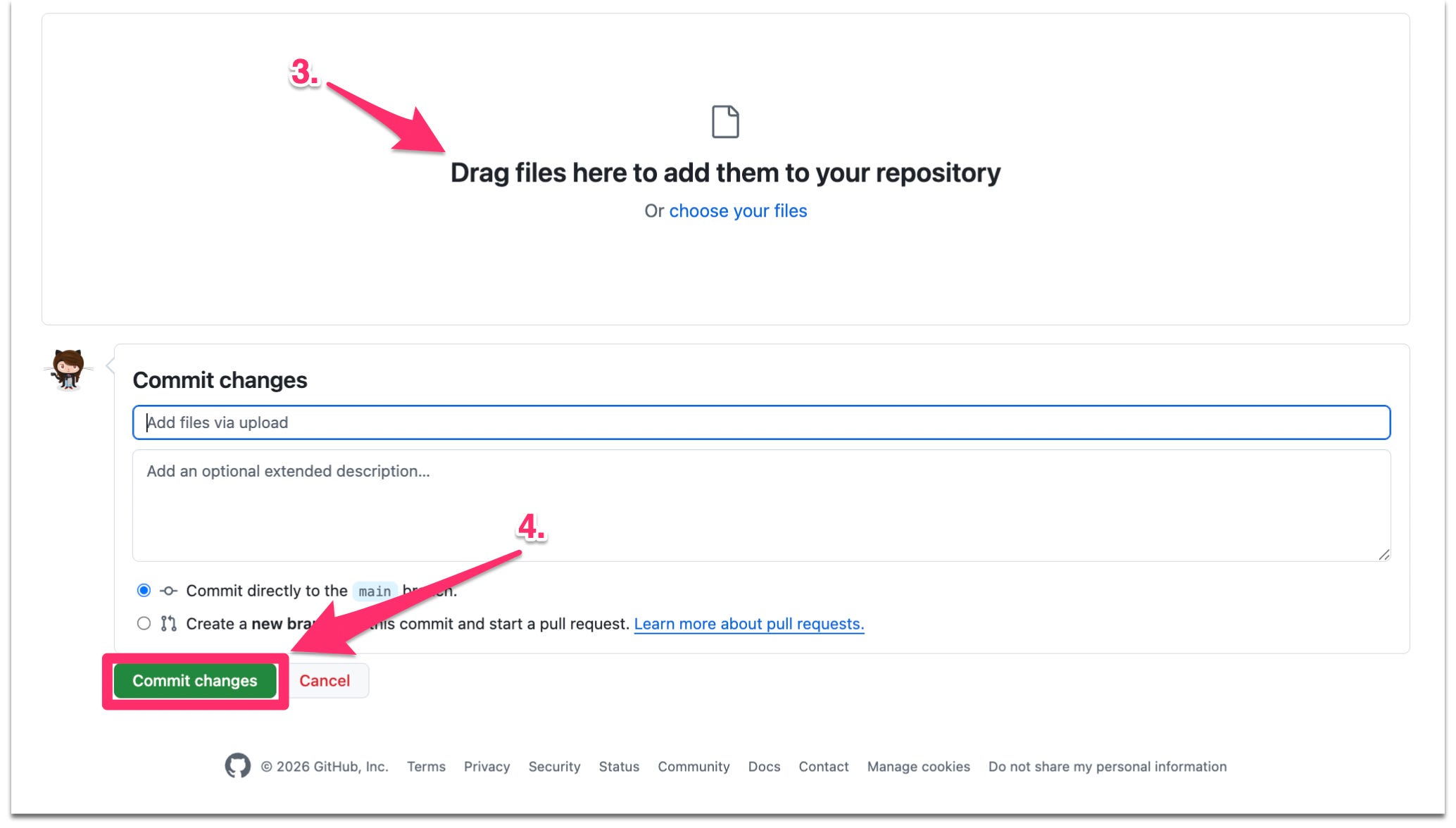
Make sure your file name is index.html
Step 6: Enable GitHub Pages
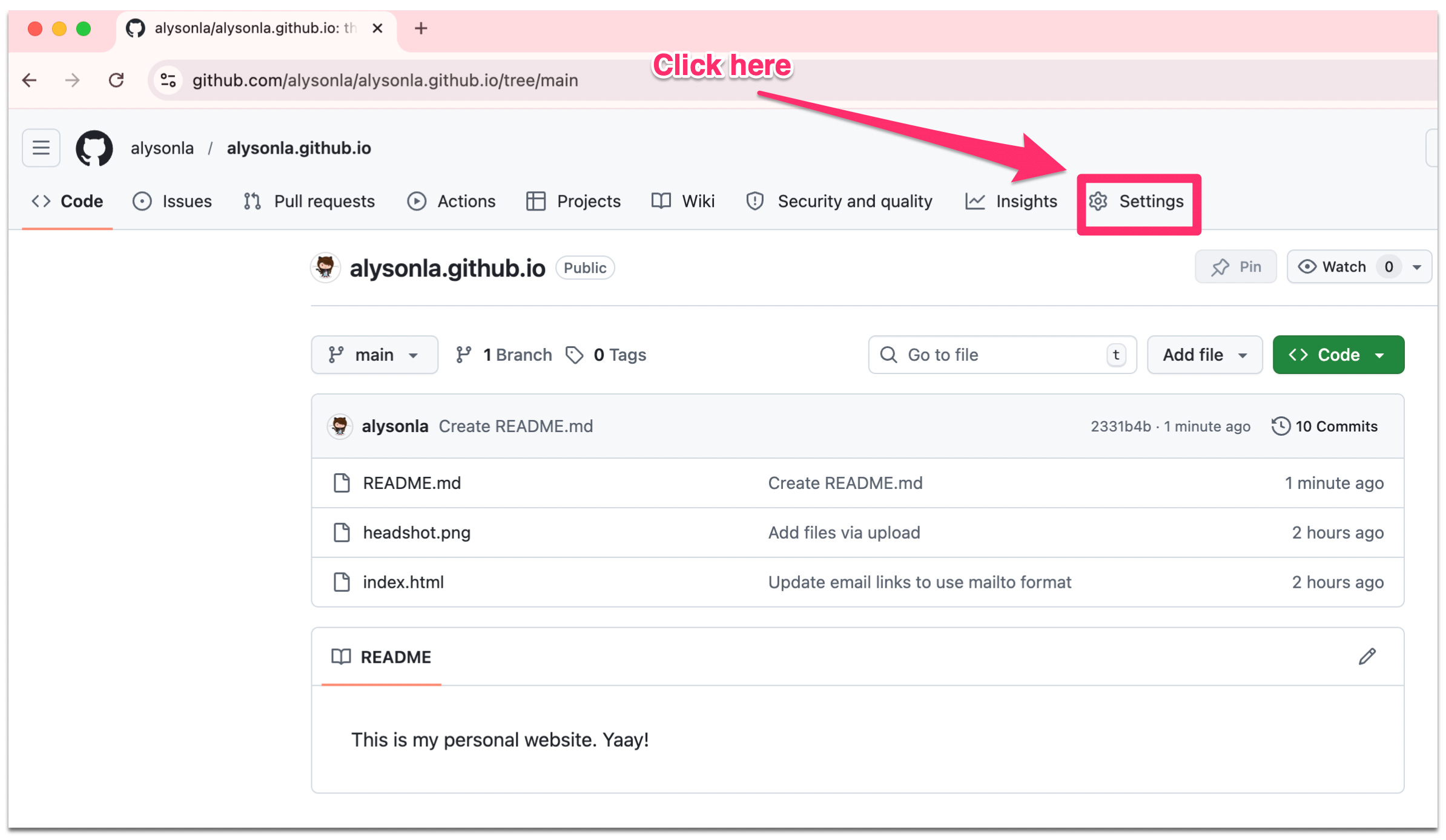
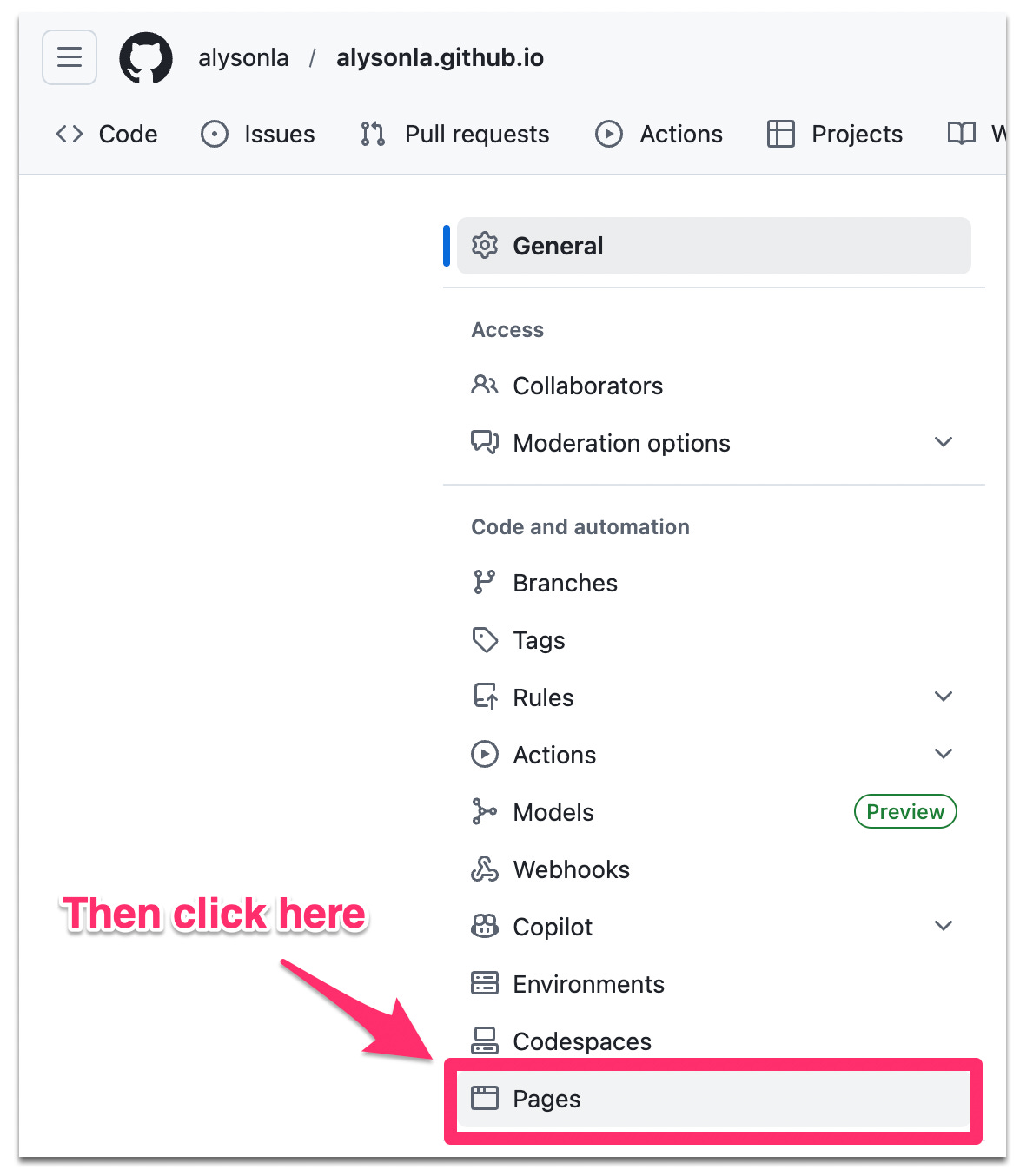
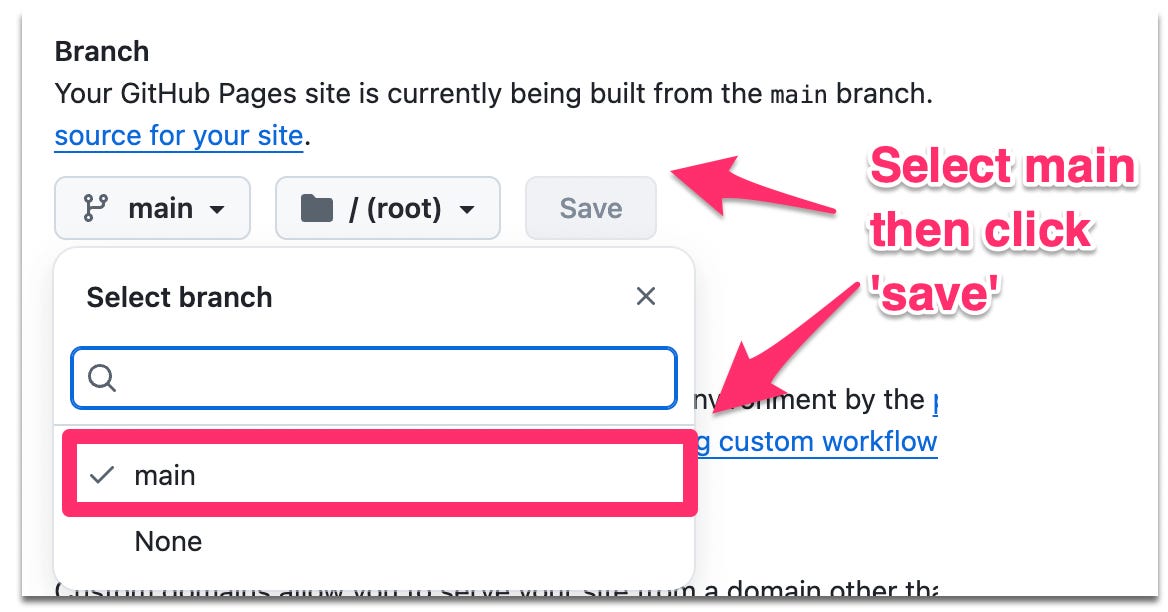
Go to your repository Settings → Pages
Under Branch, select main → click Save
Your site will be live at
https://yourusername.github.io
within 1–2 minutes
Step 7: You’re live.
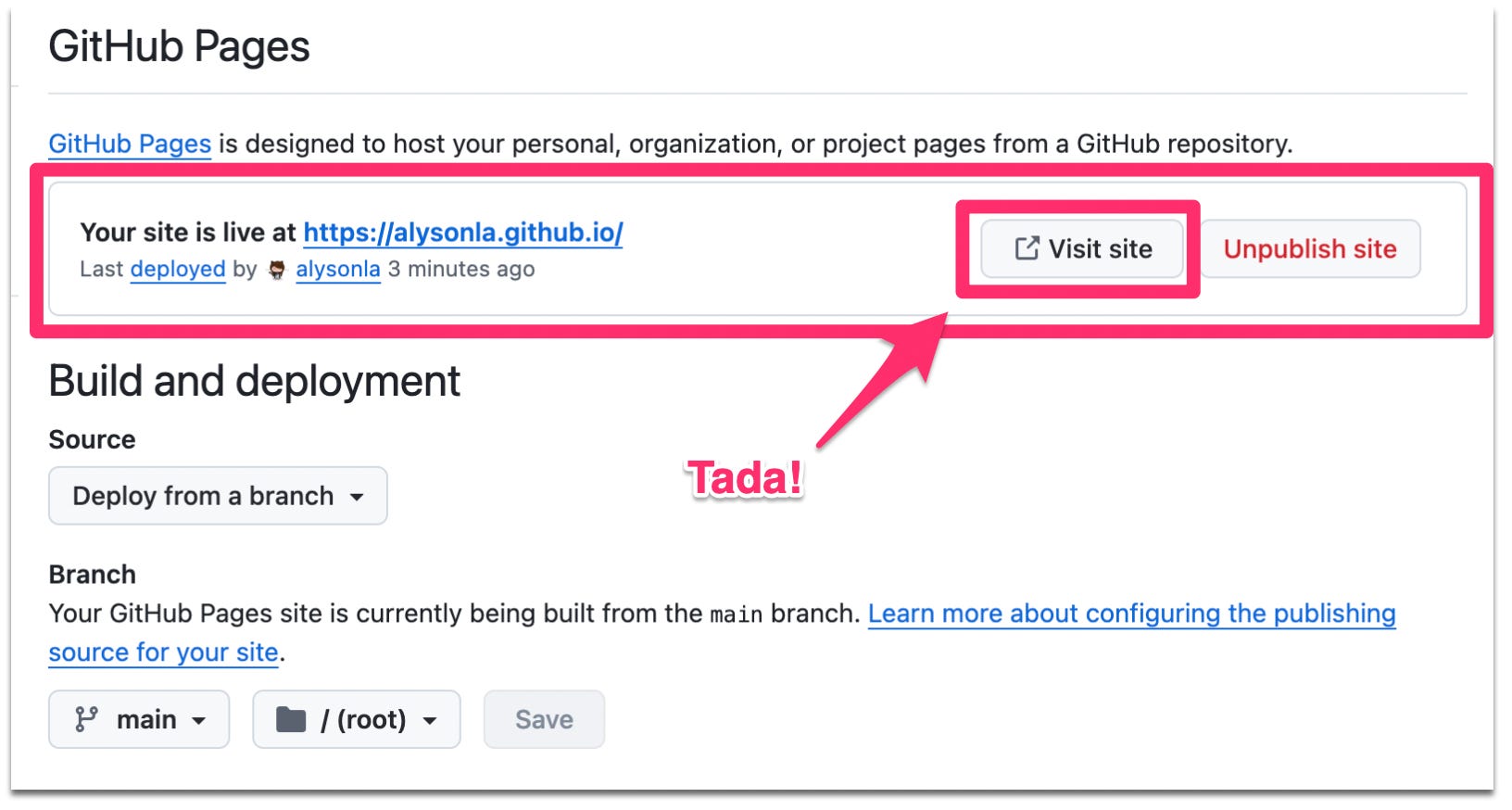
You’ve got a real website! On the actual internet! Free! Go look at it and share with your friends!
To update later: Go back to Claude, make your edits, download the new index.html, go to your repo, paste in the changes, commit. Done.
Next steps: You can also buy a domain, for example, I own alysonla.com and you can update the settings in GitHub so this website is directed to your personal domain. (Ask Claude to walk you through it :)
My site is now live at alysonla.com - woohoo!
Yay for AI - see how fun and easy that was!
This is also a fun activity to do with kids…I’ve prompted Claude with my 7 yr old daughter and we’ve made fun HTML games such as:
Puppy Sunshine Game: https://alysonla.github.io/puppy-sunshine-game/
Emoji Animal Matching Game: https://alysonla.github.io/matching-game/
Here is a quick video walk through of us uploading and publishing our game on GitHub:
Let me know if you try this — and if you do, link your website in the comments. I want to see what you build!
— Alyson
Find more AI experiments at Alyson’s AI Playground on Substack.
I’m excited to try this, and stop paying squarespace’s ridiculous yearly fees!
So good! Can’t wait to try it. Thank you!